
































Knowledge Base

How to upload content to the SmartV Solo? 

Users can upload and manage media content for the HYPERVSN SmartV Solo through HYPERVSN App or HYPERVSN CMS. 

HYPERVSN App 

Users can upload media content on the SmartV devices through HYPERVSN App using an Android or iOS smartphone. Users download media from their CMS account (the “Cloud”) or their phone’s gallery into the App Library. From there, they can create playlists and upload them directly to the SmartV device. 

A Wi-Fi connection between the phone and the SmartV Box is required to perform the upload. 

Requirements: media files up to 1Gb and of any format. 

HYPERVSN CMS  

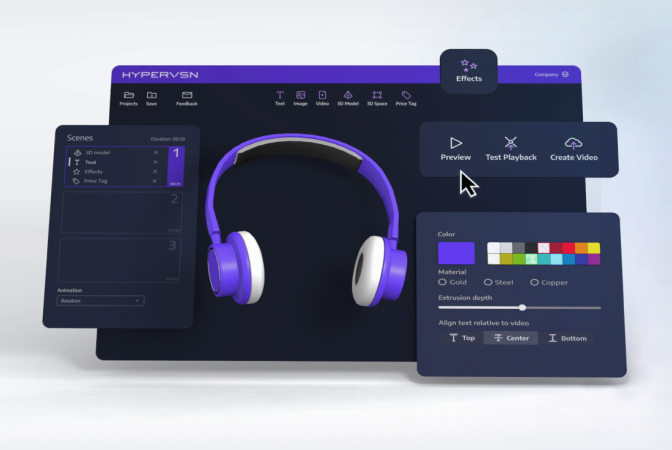
Users can upload media content to the CMS account and then schedule a media campaign. 

● Media Library: Users can upload video files from a PC directly into their web-based CMS Media Library. These files can then be accessed using the HYPERVSN App for upload to the device. 

Requirements: mp4 file format, duration up to 10 minutes.  

● Media Campaigns: For automated scheduling, users can create “Media Campaigns” in the CMS. These are sets of media files scheduled to play at specific times. The content is transferred wirelessly using the internet from the CMS to the SmartV Box. 

Note: Media Campaigns are available under the SmartV Pro subscription and can be purchased separately for the SmartV Box 1. 

Related Questions

Can’t find your answer?

4 Item in cart

HYPERVSN 3D Catalog

USD 1,200

Qty

Remove Item

HYPERVSN 3D Catalog

USD 1,200

Qty

Remove Item

HYPERVSN 3D Catalog

USD 1,200

Qty

Remove Item

Cart Subtotal:

USD 3,600