





















Knowledge Base

HYPERVSN Digital Avatar

  • What is the SmartV Digital Avatar? 

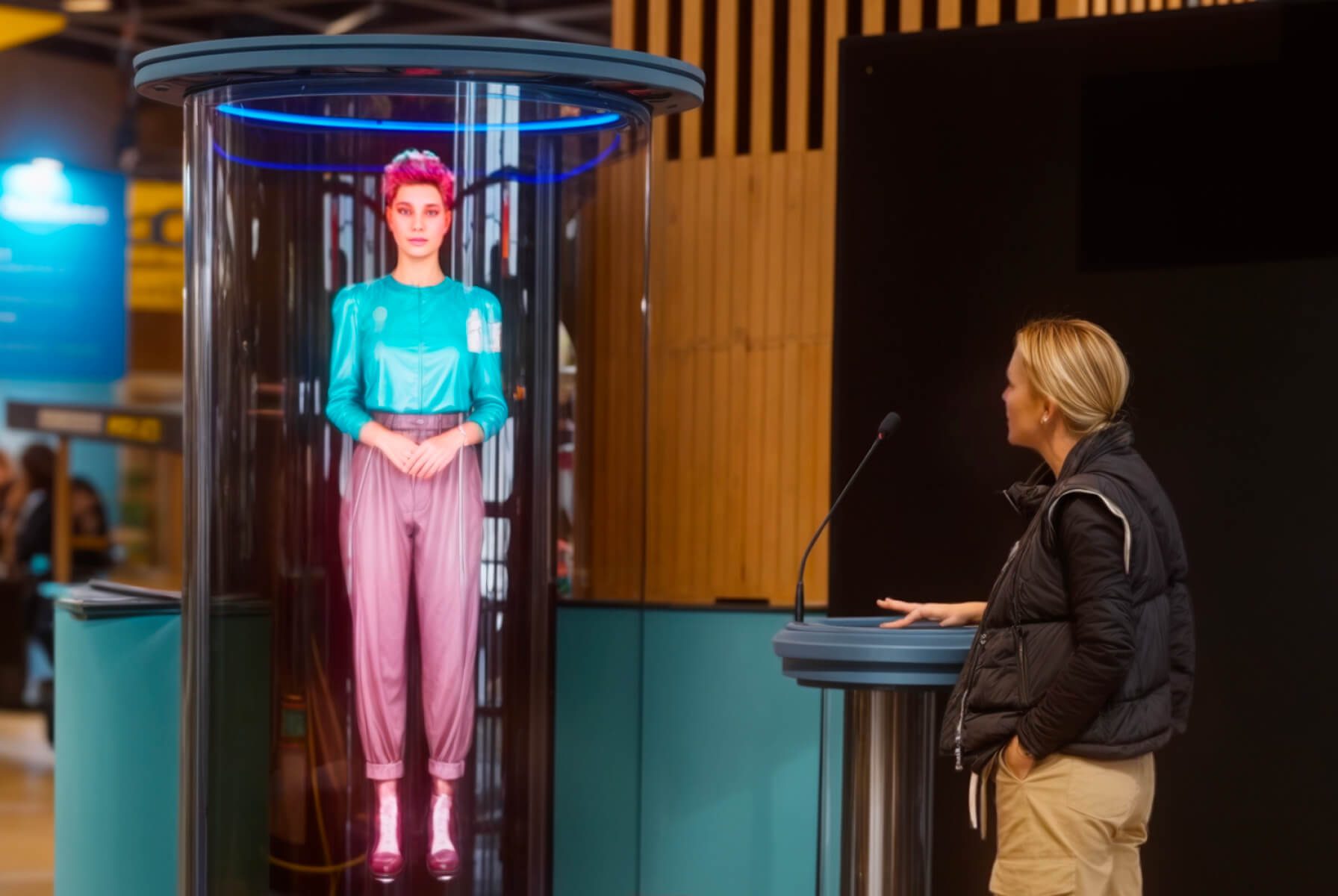
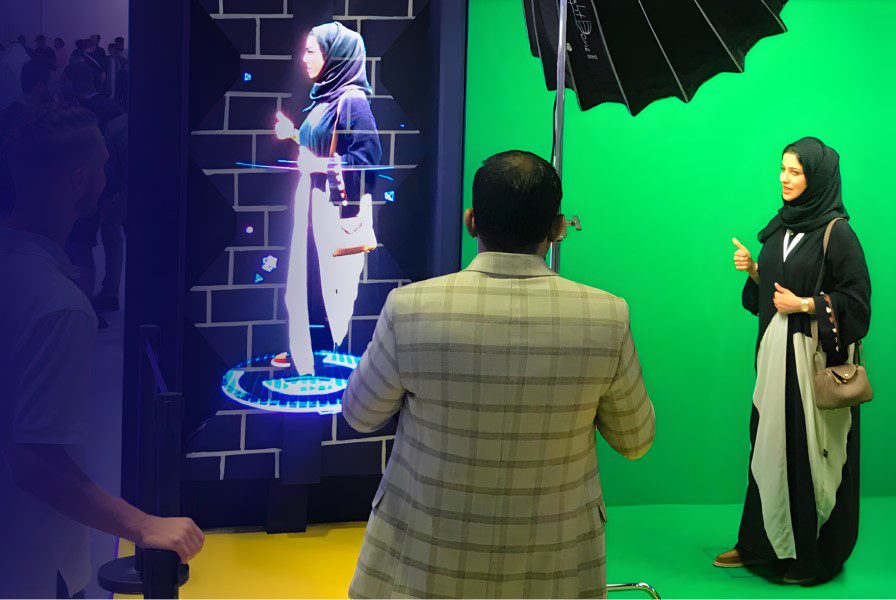
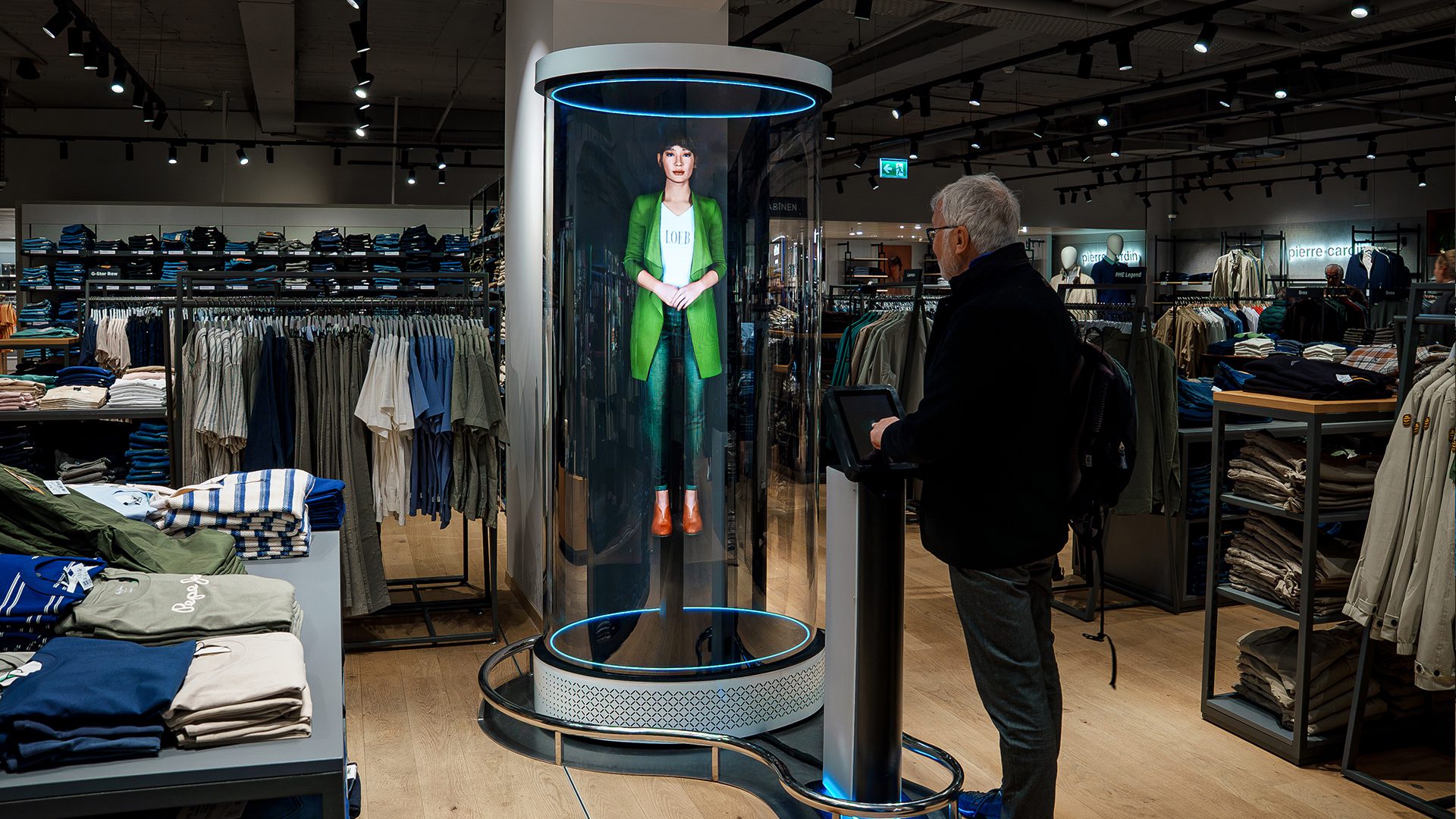
    Digital Avatar is an interactive holographic AI solution delivering a 3D digital human that understands spoken-language questions and responds with real-time, lifelike speech. For a truly immersive presence, the avatar replicates human movements, facial expressions, and speech patterns. This solution combines the following elements into a single unified ecosystem:

    ● Proprietary holographic hardware

    ● Specialised housing accessories

    ● UI application

    ● Speech-to-text service

    ● Chatbot service

    ● Text-to-speech service

    ● Animation module

    Digital Avatar is available in flexible size configurations to suit various needs:

    ● Life-size: Presents a full-body figure with realistic proportions, using 3 SmartV Display Model L units in a 1×3 vertical overlapped setup.

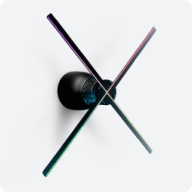
    ● Solo: Shows just the head and shoulders, powered by a single SmartV Display.

    ● Custom: Tailored to specific dimensions and requirements, using scalable SmartV Display configurations.

    Digital Avatar is designed for enterprise environments, public spaces, retail, transportation hubs, and other corporate deployments. Digital Avatar offers full customisation – including photorealistic cloning of real people or integration of bespoke LLM models.

  • What are the core software components of the Digital Avatar? 

    HYPERVSN Digital Avatar solution contains the following software components:

    ● Main control module (UI application)

    ● Speech-to-text (STT)

    ● Chatbot service

    ● Animation module

    ● Text-to-speech (TTS)

    As an alternative to utilising discrete STT, Chatbot service, and TTS modules, a single speech-to-speech service may be implemented within the Digital Avatar architecture.

  • What size configurations are available for the AI Human? 

    The HYPERVSN SmartV Digital Avatar (AI Human) is available in the following size configurations:

    ● Life-size: Presents a full-body figure with realistic proportions using three SmartV Displays (Model L or LB) in a 1×3 vertical overlapped setup.

    ● Solo: Displays the head and shoulders (typically with a blur effect on the chest area) and is powered by a single SmartV Display.

    ● Custom: Tailored to specific dimensions and requirements using scalable SmartV configurations, such as Wall L9 or Wall L12.

  • What are the core hardware components of the Digital Avatar? 

    The core hardware components of the HYPERVSN SmartV Digital Avatar consist of the SmartV holographic equipment, control units, and accessories.  

    Depending on whether the setup is Life-size (full-body) or Solo (head and shoulders), the hardware may differ. 

    Life-size Digital Avatar consists of the following hardware components: 

    1. SmartV Displays LB ×3 

    2. SmartV Box 6 

    3. SmartV Power 1000 

    4. PC 

    5. Touch monitor 

    6. Microphone 

    7. Speakers 

    8. Prime or Edge L3 accessory with Control Stand 

    Solo Digital Avatar consists of the following hardware components: 

    1. SmartV Display M/LB 

    2. SmartV Box 1 

    3. PC 

    4. Touch monitor 

    5. Microphone 

    6. Speakers 

    7. Solo Station or SmartV Solo accessory with Control Stand  

  • Which accessories are compatible with the Digital Avatar solution? 

    Compatible accessories for the HYPERVSN SmartV Digital Avatar are categorised based on whether the solution is a Life-size (full-body) or Solo (head and shoulders) configuration.

    Life-size setup is compatible with the following accessory options:

    ● Prime – a setup consisting of the Ellipse L3 accessory and Stand for Ellipse.

    ● Edge L3 with Control Stand – a setup consisting of the Edge L3 accessory and Control Stand to house PC, microphone, speakers, and touch monitor.

    ● Scalable Wall setups are available for custom configurations. The solution can be integrated with Wall L9 or Wall L12 combined with a Control Stand.

    Solo setup is compatible with the following accessory options:

    ● Solo Station – an accessory that integrates the SmartV Crystal M and the Control Stand into a single unit.

    ● Any SmartV Solo accessory (M or L size) with Control Stand.

    The Digital Avatar solution can be enhanced with the following add-ons:

    ● “Talk to me” sign – a physical sign to encourage user engagement.

    ● Trolley guards – protective barriers designed to prevent physical damage to the Prime accessory.

    ● Anti-scratch film – a protective film for plastic panels.

    ● Prime L3 soundproofing.

    ● External hardware integration.

  • What are the key benefits of the Digital Avatar? 

    The key benefits and feature highlights of the Digital Avatar solution are the following:

    ● Real-time conversational AI: The system offers low-latency interaction with a response time less than 4.5 seconds from question to answer.

    ● Global multilingual support: Native communication capabilities in over 50 world languages.

    ● Local pronunciation control: A configurable Word Library for correcting the pronunciation of specific brand names, locations, or specialised terminology, ensuring communication accuracy.

    ● Bespoke persona tailoring: Complete control over the avatar’s role, tone of voice, and persona traits through custom prompt engineering.

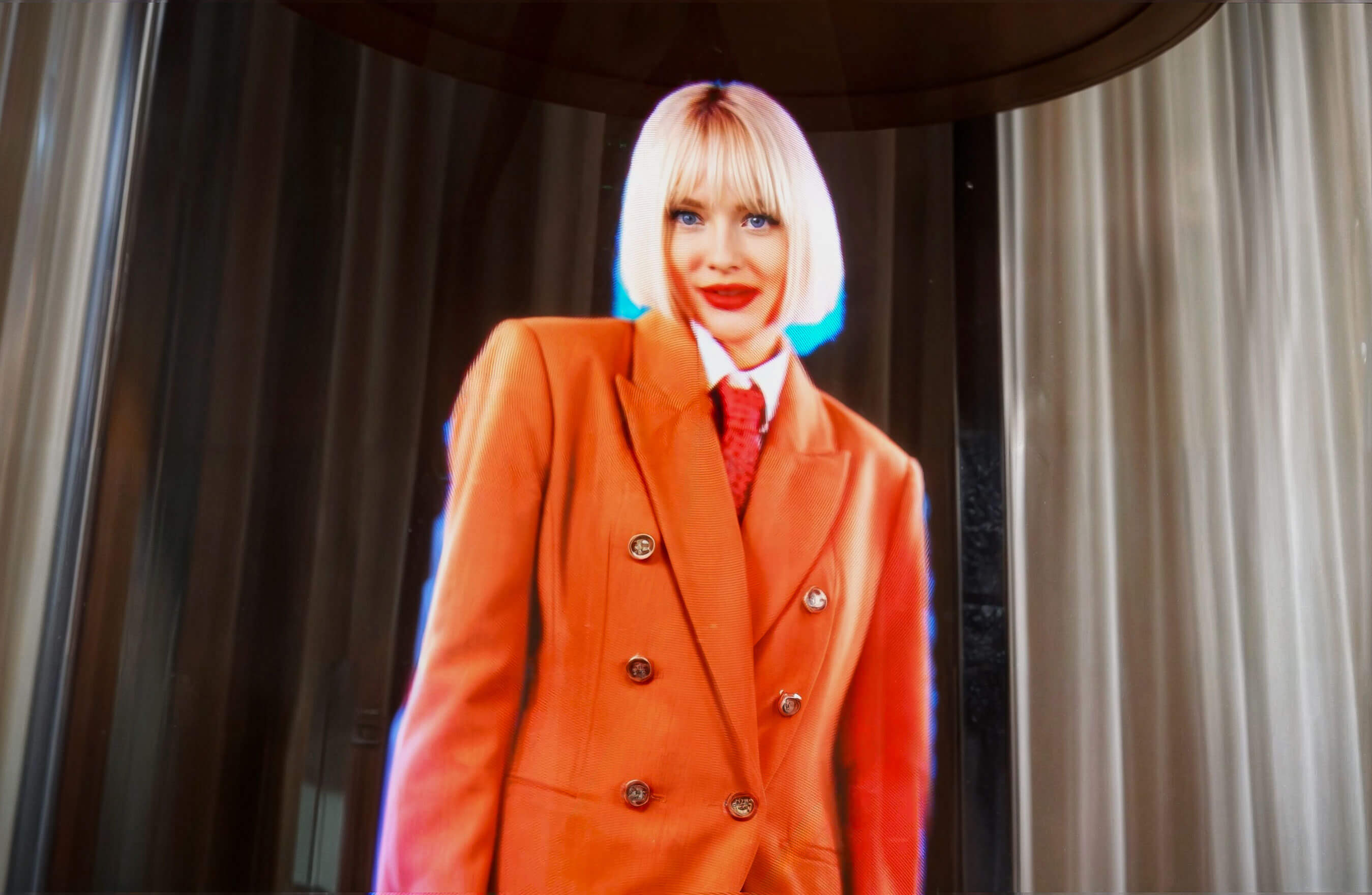
    ● Photorealistic digital twins: Advanced capability to integrate photorealistic clones of real individuals.

    ● Customisable architecture: The platform allows you to connect various speech recognition, language models, or speech synthesis providers rather than being locked into a single service.

    ● Multi-avatar functionality: This feature allows users to engage with different digital personas within a single installation.

    ● Activity analytics: Anonymous Log Reports track user queries and session data, helping organisations identify real-time market trends and improve service offerings.

    ● Enterprise-grade security: Privacy features including semi-offline deployment options.

    ● Enterprise ecosystem: Seamless integration of proprietary hardware, real-time rendering software, and AI modules.

    ● End-to-end solution delivery model: HYPERVSN provides a complete enterprise service covering requirements gathering, prompt engineering, behaviour design, implementation, and 24/7 technical support.

  • What digital characters are available for the AI Human solution? 

    HYPERVSN offers the following character options for the AI Human (Digital Avatar):

    ● Standard digital characters from the HYPERVSN Library.

    ● Custom digital characters, such as a photorealistic digital twin, reference-based avatar, or digital mascot.

  • What multilingual support is available for the Digital Avatar? 

    The HYPERVSN SmartV Digital Avatar provides multilingual support in over 50 languages. By default, the solution uses OpenAI’s service for speech recognition, which supports more than 50 languages with reliable transcription accuracy. Recognition is particularly strong in languages including English, French, German, Spanish, Italian, Portuguese, Russian, Chinese, Japanese, and Dutch.

    The following multilingual support options are also available:

    ● Default options: Customers can choose between English-only recognition or a multilingual setting that recognises different languages.

    ● English accents: For English, specific US or UK accents can be configured.

    ● Customisation: Clients can request the addition of more languages or accents by connecting alternative STT services.

  • What are the available combinations for speaking and answering? 

    The system provides the following combinations for how the avatar interacts with multilingual users by default:

    ● Speak any language, answer in English: The avatar recognises any of the supported languages but responds in English.

    ● Speak any language, answer in detected language: The avatar responds in the same language detected during the user’s query.

    ● Bilingual mode: The avatar can be set to speak and answer in both English and a second language, such as French.

    ● Choose language on UI: The user can select the response language directly from the touchscreen interface.

  • Can I customise the English accent used by the Digital Avatar? 

    Yes, you can customise the English accent used by the Digital Avatar. By default, you can choose between a US or UK accent for speech recognition. Additionally, other specific accents can be added upon request through custom STT (Speech-to-Text) service integrations. 

  • Is it possible to change the language of the touchscreen user interface (UI)? 

    Yes, it is possible to change the language of the touchscreen user interface (UI) for the Digital Avatar solution. While the standard UI application is in English, changing the UI language is an available customisation feature provided upon request.  

  • What is the multi-avatar functionality? 

    The multi-avatar functionality allows users to select and engage with different digital personas within a single installation and UI application. Characters can be switched in the UI application. Each avatar can have its own unique language, voice, behaviour (prompts), and gestures. 

  • What customisation options are included by default? 

    The following customisation options for the Digital Avatar are included at no additional cost:

    ● Select a character from the library.

    ● Select an accent: US or UK.

    ● Customise the avatar’s role, tone of voice, persona traits, welcome speech, and topics to cover.

    ● Select gestures from the gestures catalogue.

    ● Select multilingual support from the available languages.

    ● Select a voice from the default library.

  • What customisation options are available at an additional cost? 

    The following customisation options for the Digital Avatar are available at an additional cost:

    ● Customise the UI layout, colours, buttons, and page content.

    ● Integrate company logos or branding elements into the touchscreen interface.

    ● Change the user interface language to a non-English option.

    ● Connect alternative Speech-to-Text (STT) or chatbot services.

    ● Add additional languages or specific English accents beyond the default settings.

    ● Integrate client-created characters.

    ● Create a photorealistic digital twin or a reference-based avatar/mascot.

    ● Connect alternative Text-to-Speech (TTS) providers.

    ● Select high-realism ElevenLabs voices or accurate voice clones.

    ● Implement multi-avatar functionality or a fully offline solution.

    ● Integrate additional hardware, such as external screens, sensors, or webcams.

    ● Access anonymous Activity Log reports for user interaction analytics.

    ● Add unique body gestures or pre-record animations in sign language.

    ● Design a custom platform with brand-specific colours.

  • What persona elements can be customised by default in the Digital Avatar (for example, role, tone, and traits)? 

    To create an engaging and on-brand avatar, the following behaviour can be customised:

    ● Role: sales representative, brand host, support assistant, brand ambassador.

    ● Welcome speech: preferred message and how often it should be played while DA is in idle state.

    ● Human touches: name, age, interests, favourite phrases, energy level.

    ● Tone of voice: formal, friendly, playful.

    ● Language style: quirky, concise, storytelling.

    ● Persona traits: helpful, witty, calm, ambitious, energetic, sophisticated, patient.

    ● Topics to cover: what the avatar should talk about.

    ● Specific facts or information about the company/products: that the avatar should be able to communicate to visitors.

    ● User interaction tips: examples of dialogues or common scenarios with typical questions or concerns users may have.

  • What is included in the Digital Avatar subscription? 

    The inherent capabilities of the standard subscription include:

    ● Infrastructure access: Access to the AI Human solution’s infrastructure with one Digital Avatar character for one location.

    ● Unlimited external services: Unlimited speech-to-text (STT), text-to-speech (TTS), and large language model (LLM) processing – no per-query fees.

    ● Continuous development and infrastructure support: The HYPERVSN Digital Avatar platform undergoes constant refinement, with regular enhancements.

    ● 24/7 technical support with remote device diagnostics by HYPERVSN specialists using a secure tunnel connection.

  • How to activate a Digital Avatar subscription in the CMS? 

    To activate a Digital Avatar subscription in the CMS, follow these steps:

    1. Log in to your HYPERVSN CMS account and navigate to the Devices page.

    2. Locate the specific SmartV Box from the devices list that you wish to activate.

    3. Click the Activate subscription button located near the serial number of that SmartV Box.

    4. In the Activate subscription dialogue, select the SmartV Digital Avatar subscription from the drop-down menu.

    5. Click the Activate subscription button to finalise the process.

    6. To update the subscription information on your SmartV Box, connect it to the internet.

    Note: Your subscription period begins as soon as you activate the subscription in your CMS account.

  • What analytics are available for the Digital Avatar solution? 

    The HYPERVSN SmartV Digital Avatar solution provides activity analytics through anonymous Log Reports, which are available as an additional service.

    These reports summarise the actions performed with the Digital Avatar over a specific period and include the following details:

    ● Interaction tracking: Records the specific date and time of engagement, along with session and request numbers.

    ● Query and response logs: Tracks the exact questions asked by customers and the corresponding answers provided by the avatar.

    The reports provide data to help organisations make informed decisions, improve strategic planning, and refine their service offerings.

    All data contained within these reports is anonymous and does not include any personal information.

Can’t find your answer?

4 Item in cart

HYPERVSN 3D Catalog

USD 1,200

Qty

Remove Item

HYPERVSN 3D Catalog

USD 1,200

Qty

Remove Item

HYPERVSN 3D Catalog

USD 1,200

Qty

Remove Item

Cart Subtotal:

USD 3,600