





































How to prepare for using SmartV Slots? 

To prepare for using the HYPERVSN SmartV Slots, follow the steps below.

Step 1: Assemble and connect hardware

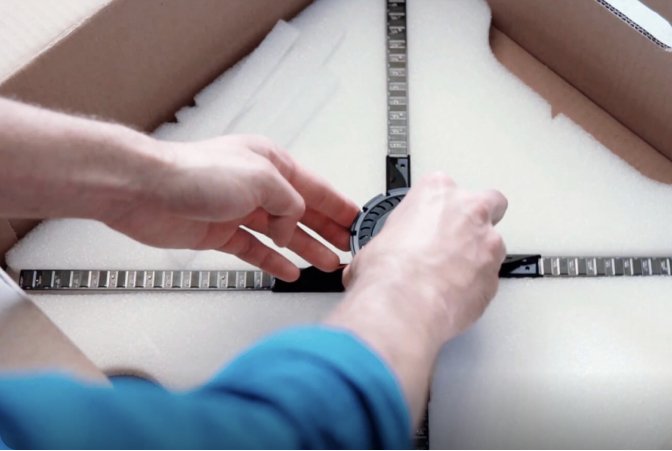
1.1 Depending on your installation needs, assemble the SmartV Tripods, Ceiling mounts or any other accessories suitably for the setup.

1.2 Install 3 SmartV Displays LB in the accessories.

1.3 Connect SmartV Displays to the SmartV Box 6 using optic cables and to the SmartV Power 1000 using power cables.

1.4 Assemble and install the stand for your chosen control unit – either a handle or a button.

1.5 Optional: Connect external speakers to the HD AUDIO port of the SmartV Box for sound effects.

Step 2: Prepare software

2.1 Register a CMS account.

2.2 Install the HYPERVSN App (version 3.3.5 or higher) on your smartphone.

Step 3: Setup and calibrate SmartV Wall

3.1 Activate the SmartV Box.

3.2 Configure the SmartV Display layout.

3.3 Calibrate the image.

Step 4: Activate subscription

4.1 Activate the SmartV Slots Software Service subscription in your CMS account.

Step 5: Set the game logic

5.1 Add the HYPERVSN Slots app to the HYPERVSN App.

5.2 Open the HYPERVSN Slots and configure game parameters:

a) Set a specific percentage for winning events.

b) Define how often win events occur.

c) Define a maximum number of total wins per day to manage prize inventories.

d) Set a mandatory interval between wins to control the pace of the game.

5.3 Start the game.

Related Questions

Can’t find your answer?

4 Item in cart

HYPERVSN 3D Catalog

USD 1,200

Qty

Remove Item

HYPERVSN 3D Catalog

USD 1,200

Qty

Remove Item

HYPERVSN 3D Catalog

USD 1,200

Qty

Remove Item

Cart Subtotal:

USD 3,600