


































Knowledge Base

How to perform monthly technical maintenance? 

Monthly technical maintenance ensures peak performance and equipment longevity. Monthly procedure involves the following steps: 

1. Follow safety instructions: Before performing any maintenance, you must unplug all power cords from their sources. Wait for the rotating rays to come to a complete stop before touching the device.

2. Inspect electrical components: Examine the power cords for any signs of damage, such as cracks, cuts, exposed wires, or frayed casings. If any electrical fault is discovered, you must stop using the modules immediately until the cords are replaced.

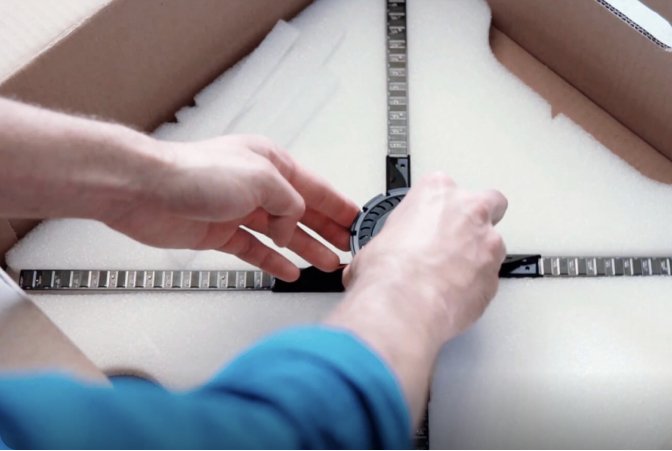
3. Perform visual hardware check: Inspect the SmartV Display, SmartV Box, and Power module for any noticeable dents or components that require replacement. 

4. Remove dust: Wipe any collected dust off the SmartV Display body and modules. Do not use a moist rag on the SmartV Displays or rays. Use a very soft bristle brush to gently clean the rays. Never touch the LEDs directly with your fingers.

5. Inspect accessories according to the manual’s instructions. 

6. Wipe the accessory with microfiber cloth. A plexiglass cleaner solution might be used to remove accumulated dust from the accessories with plexiglass surfaces. 

7. Perform final verification: Once cleaned and inspected, ensure all fixing screws are securely tightened to prevent components from falling. If any parts require repair, or you need to purchase spares, contact your HYPERVSN vendor.

Related Questions

Can’t find your answer?

4 Item in cart

HYPERVSN 3D Catalog

USD 1,200

Qty

Remove Item

HYPERVSN 3D Catalog

USD 1,200

Qty

Remove Item

HYPERVSN 3D Catalog

USD 1,200

Qty

Remove Item

Cart Subtotal:

USD 3,600